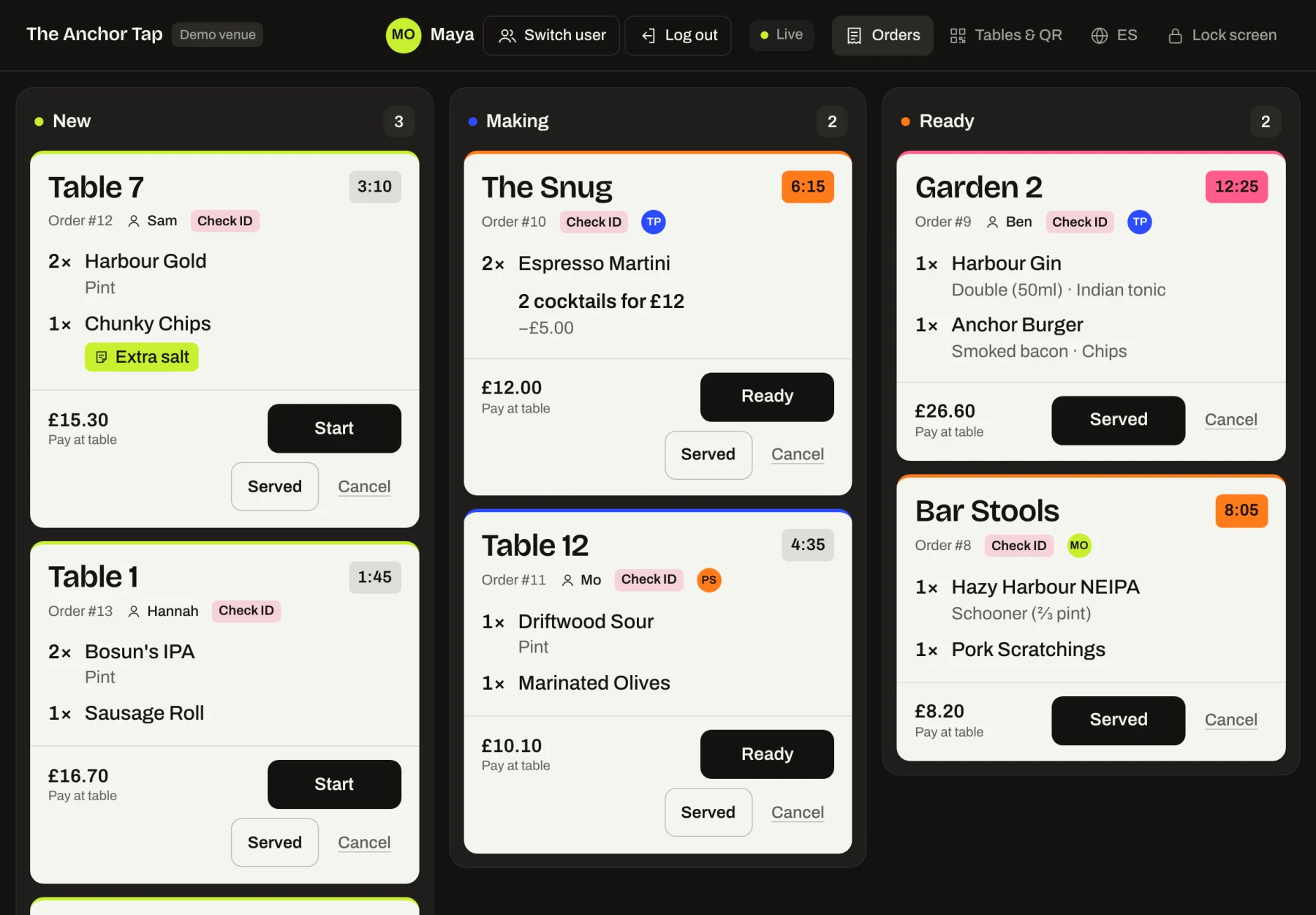
- 2× Harbour Gold Pint
- 1× Chunky Chips Extra salt
QR table ordering for pubs and bars.
Built for independent pubs, bars and restaurants. Customers scan the code on their table, order from their phone and carry on talking. Your staff see every order on a live bar screen, with the table name in big type.
- From £69 a month per venue
- No app for customers
- English & Español
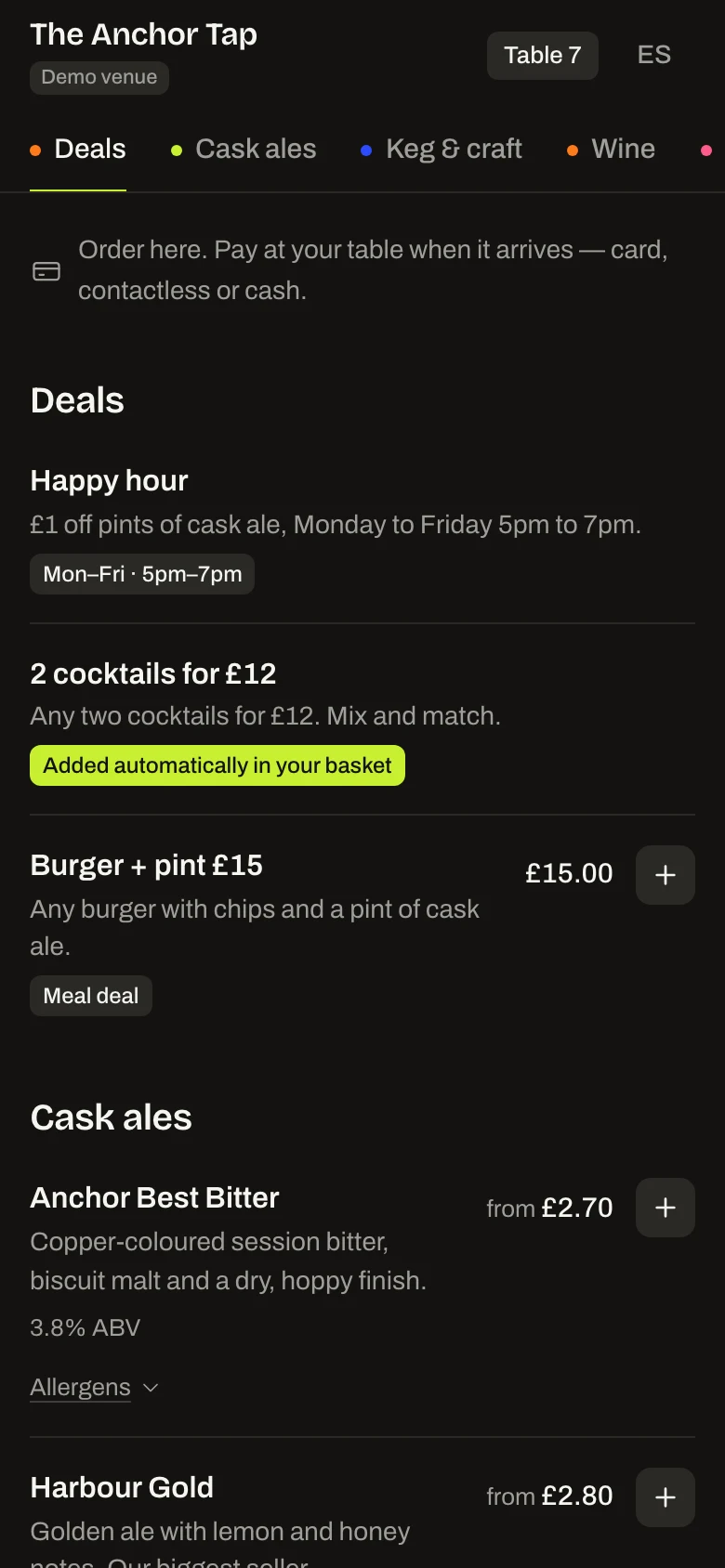
The Anchor Tap
Table 7
Your order
- 2×Harbour GoldPint£10.80
- 1×Chunky ChipsExtra salt£4.50
Total£15.30
Pay at the table
- 2× Harbour Gold Pint
- 1× Chunky Chips Extra salt
Three taps from scan to sent.
-
Scan
Every table has its own QR code. The phone camera opens your menu in the browser: no app, no account.
-
Order
Pints or halves, singles or doubles, a mixer, a note for the bar. Prices are worked out on our server, never on the phone.
-
It lands on the bar
A chime and a ticket with the table name. One tap to start making it, one when it's ready.
Print every table card in one go.
Each table gets its own code and its own card, with the table name printed big so it's easy to put in the right place.
- A4 sheets, four A6 cards per page, ready to cut
- Download any card as SVG for a print shop
- Codes are random and unique to each table
Your bar. Your colours.
With the branding add-on, your colours, logo and typeface run through the menu, the bar screen and the printed cards. Text colours are worked out automatically so everything stays readable.
Branding add-on: +£20 a month
The standard plan uses the DrinksQR house style, shown as The Anchor Tap.
 The Anchor Tap
Table 7
The Anchor Tap
Table 7
Cask
Keg
Food
- Harbour GoldGolden ale, lemon and honey. £5.40
- Hazy Harbour NEIPAJuicy, hazy, mango. Third. £3.20
- Driftwood SourTart raspberry sour. £6.10
2 items · £10.80
DrinksQR key facts
DrinksQR is a QR table ordering system for UK pubs, bars and restaurants. Customers scan the code on their table, order from their phone without an app, and the order appears on a live bar screen with the table name. Staff bring it over with the card machine. Plans start at £69 a month.
- Plans
- Standard £69 a month (up to 20 tables), Large £99 a month (up to 100 tables). Branding +£20 a month.
- Contract
- Free trial first. Then 12 months, billed monthly, renewing unless you give 30 days' notice before the term ends.
- Payment
- At the table: staff bring the card machine with the order (card, contactless or cash). Paying on the phone is coming soon.
- Languages
- Customer menu, bar screen and website in English and Spanish.
- Setup
- About 30 minutes to add a drinks menu, name tables and print the cards yourself; or we build it for a one-off fee from £49.
- Hardware
- None to buy: the bar screen runs in any browser and customers use their own phones.
Questions owners ask.
Do customers need to download an app?
No. Customers scan the QR code on their table with their phone camera and the menu opens in the browser. There is nothing to install and no account to create.
How do orders reach the bar?
Orders appear on your live bar screen within a few seconds, with the table name in large type. The screen runs in a web browser on any tablet or laptop, plays a short chime for each new order, and staff tap once to move a ticket from New to Making to Ready.
What does DrinksQR cost?
Standard is £69 a month per venue, for up to 20 tables and one bar screen. Large is £99 a month per venue, with up to 100 tables and multiple bar screens or service points such as a bar, a terrace and a kitchen. For more than 100 tables, contact us for a quote. Prices are the full price: we're not VAT registered, so no VAT is charged. Both include unlimited orders, QR card printing, the live bar screen, sold-out toggles, the back office and the English and Spanish menu. Branding is an optional add-on at +£20 a month, groups get 10% off each additional venue, and we can build your menu for a one-off setup fee from £49.
Can I use my own branding?
Yes, with the branding add-on at +£20 a month on either plan. Your colours, logo and font run through the customer menu, the bar screen and the printed table cards, and text colours are checked automatically so everything stays readable.
Do I need special hardware?
No. The bar screen runs in the browser of any tablet, laptop or phone you already own, and customers use their own phones. You only need a printer for the table cards.
Watch an order land on the bar.
Open the bar screen on one device, order from your phone on another. It takes about a minute.