Everything in the DrinksQR QR code ordering system
DrinksQR is a QR code ordering system for UK pubs, bars and restaurants. Customers scan a code on their table, order from their phone without an app, and the order appears on a live bar screen with the table name. Staff bring it over with the card machine. Every plan includes every feature below.
Key facts
- No app for customers: the menu opens in the phone browser.
- The bar screen runs in a browser on any tablet, laptop or phone.
- Customers pay at the table by card, contactless or cash. Paying on the phone is coming soon.
- From £69 a month per venue, on a 12-month term billed monthly.
See it working
Real screenshots from our demo venues, The Anchor Tap and Casa Lumbre. The venues, names and orders are sample data.
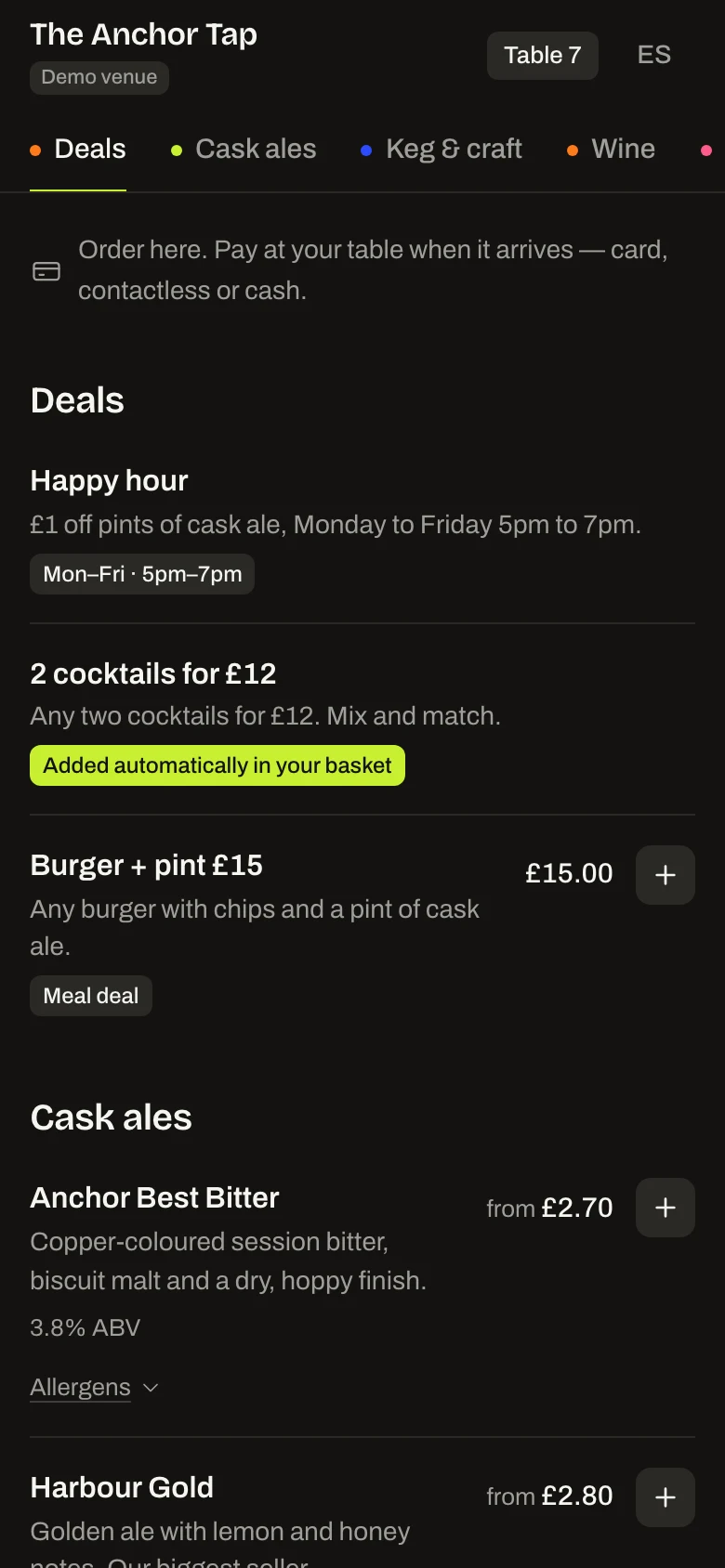
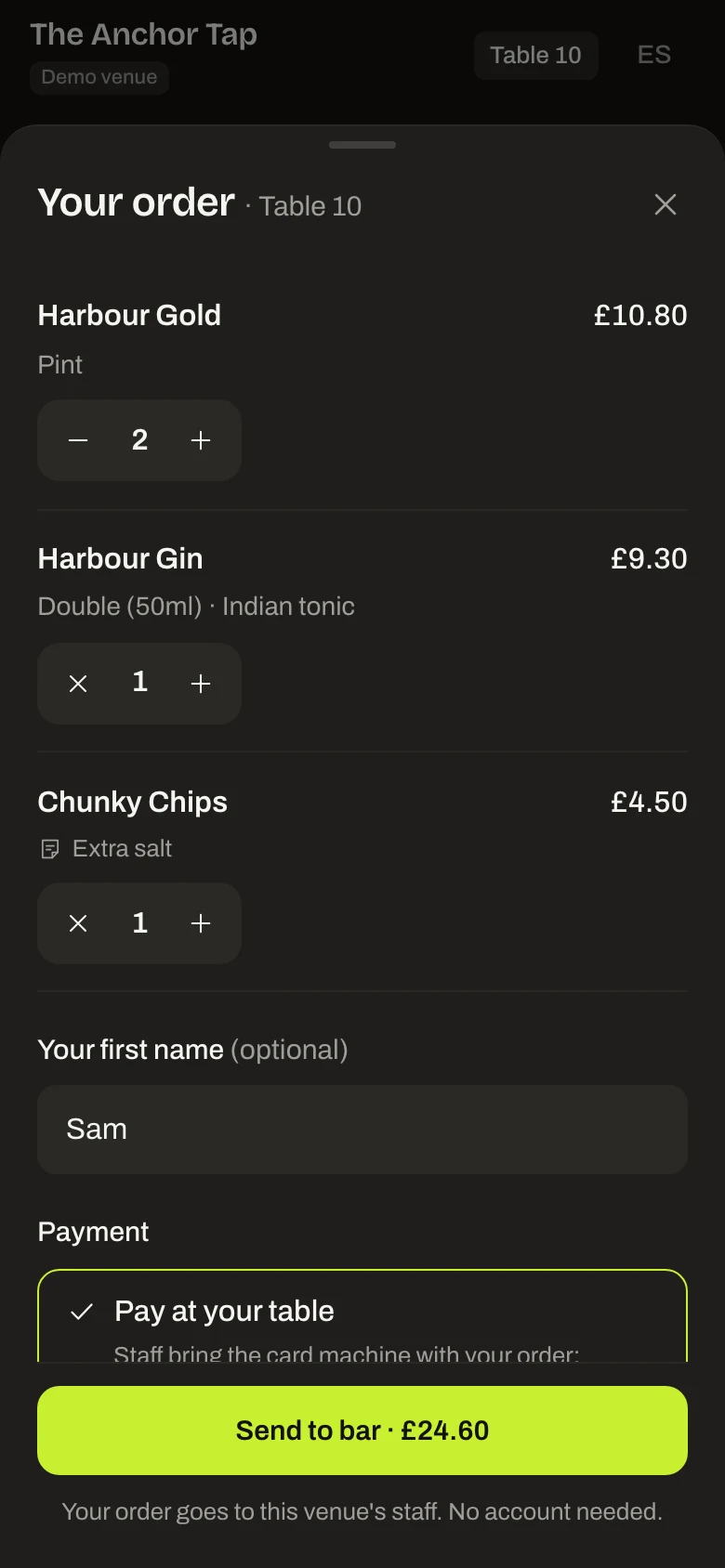
Customers order from their phone
They scan the code on their table and the menu opens in the browser: no app, no account. Sizes, mixers and a note for the bar are a tap away, and the basket shows the total before they send it.
Every order on one bar screen
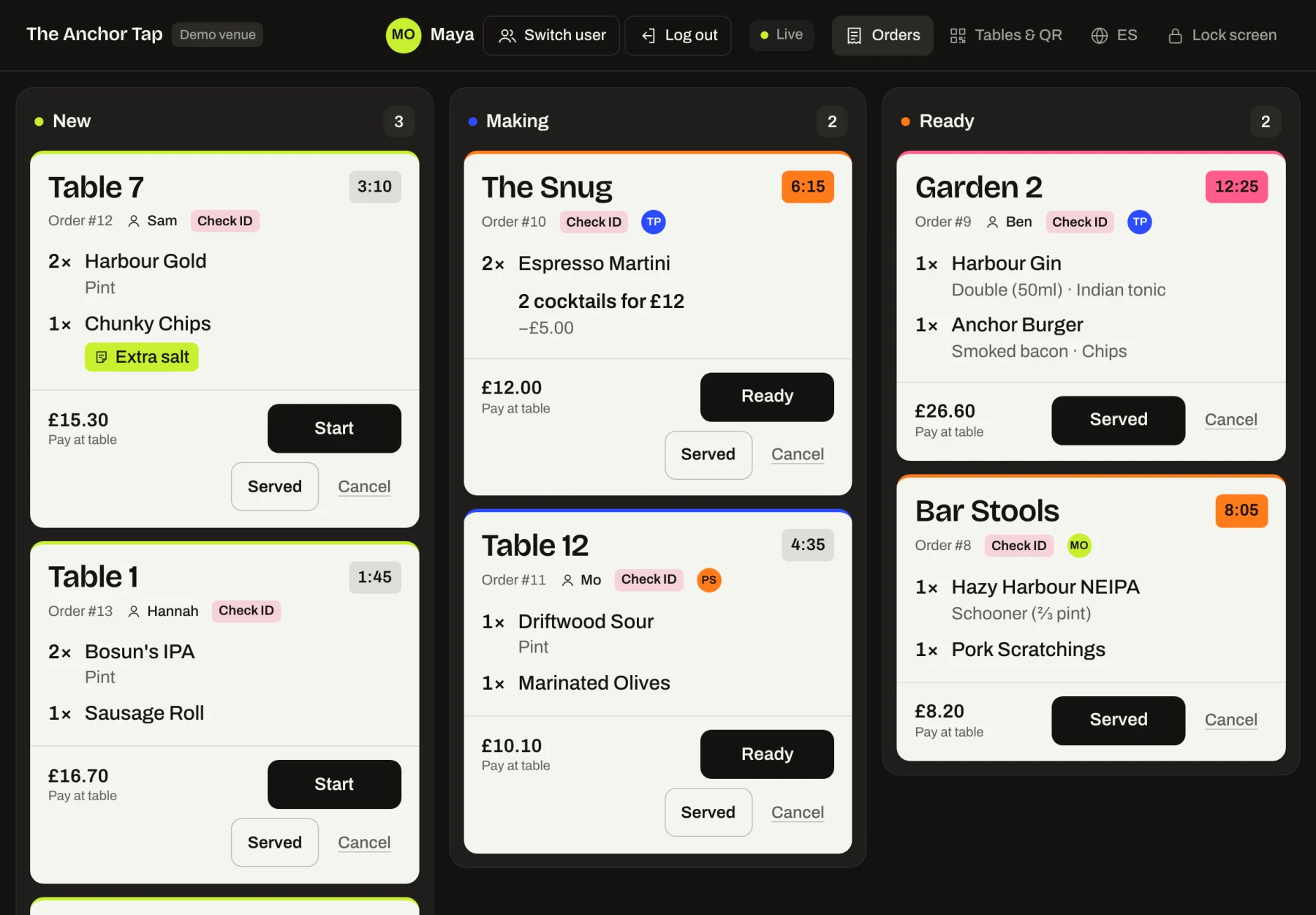
Tickets arrive with the table name in large type and move from New to Making to Ready with one tap. Each timer turns orange after five minutes and pink after ten, so nothing waits unseen.
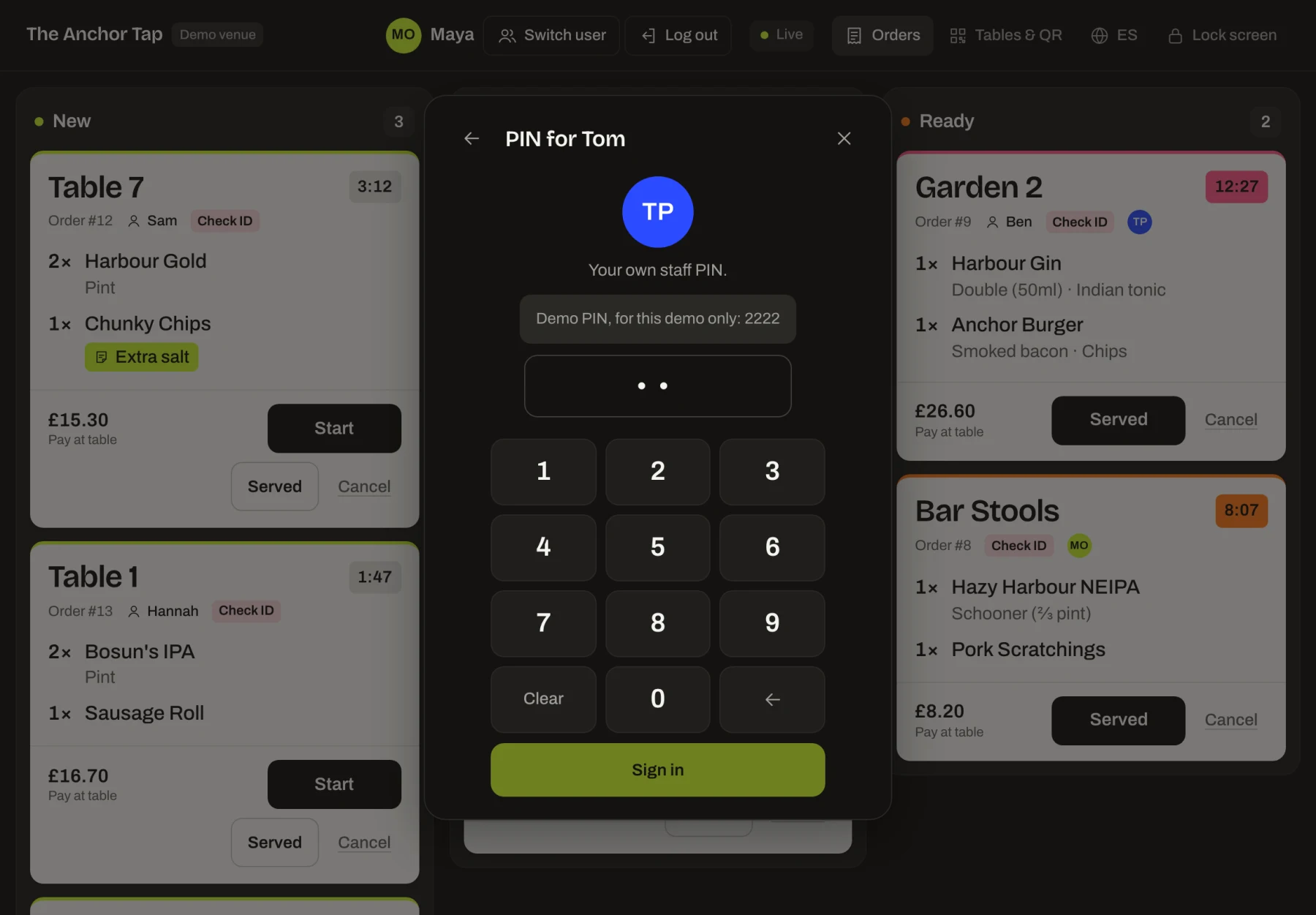
Staff tap in with their own PIN
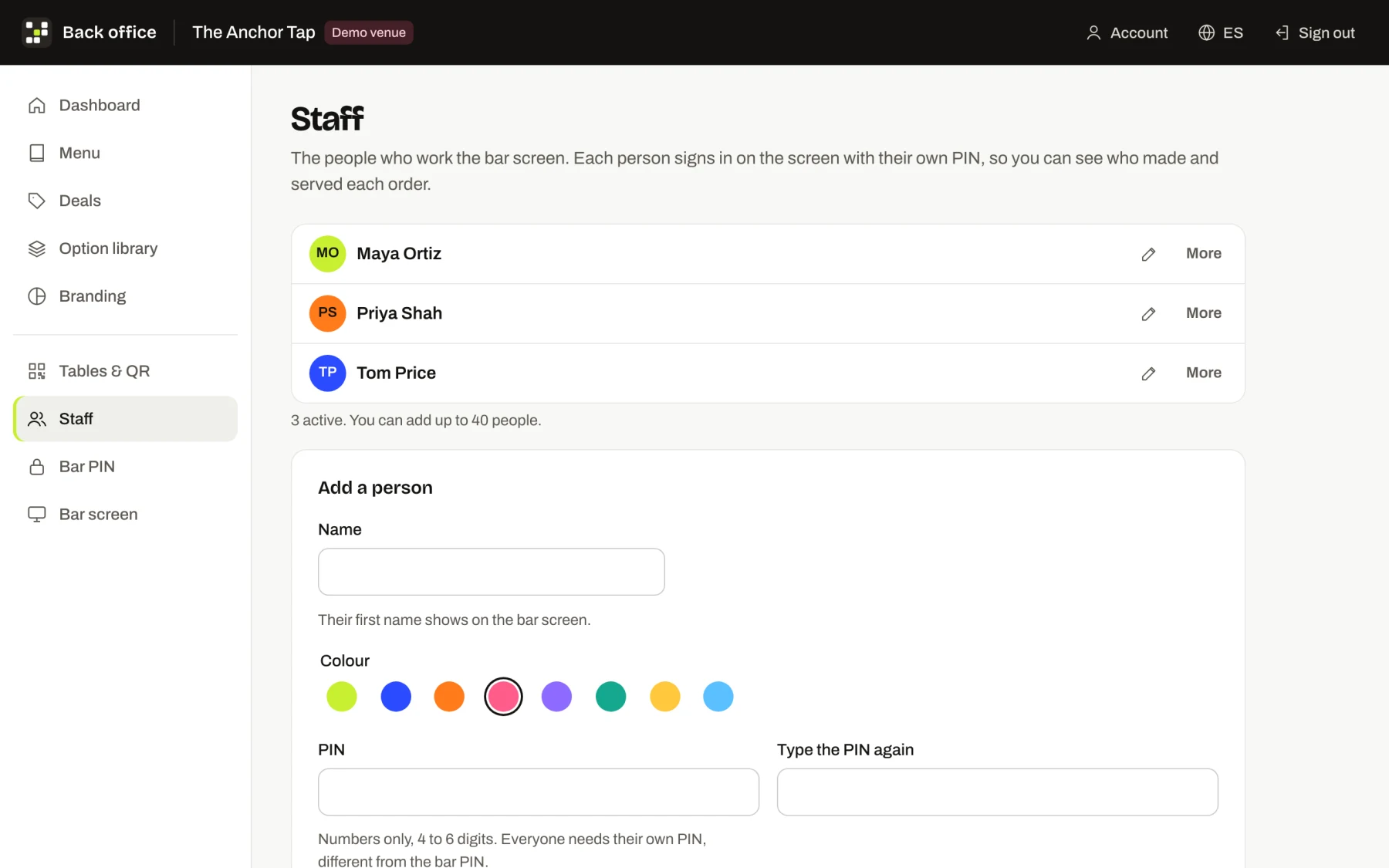
Several people can share one bar screen. Each taps their name and enters their own 4 to 6 digit PIN, and Switch user hands over in seconds. Staff PINs only work on the bar screen, so staff never reach the back office.
Every step logged per person
Add the people who work the bar, each with a colour. Whoever starts, readies or serves an order is saved against it, and their initials show on the ticket.
See how long drinks take
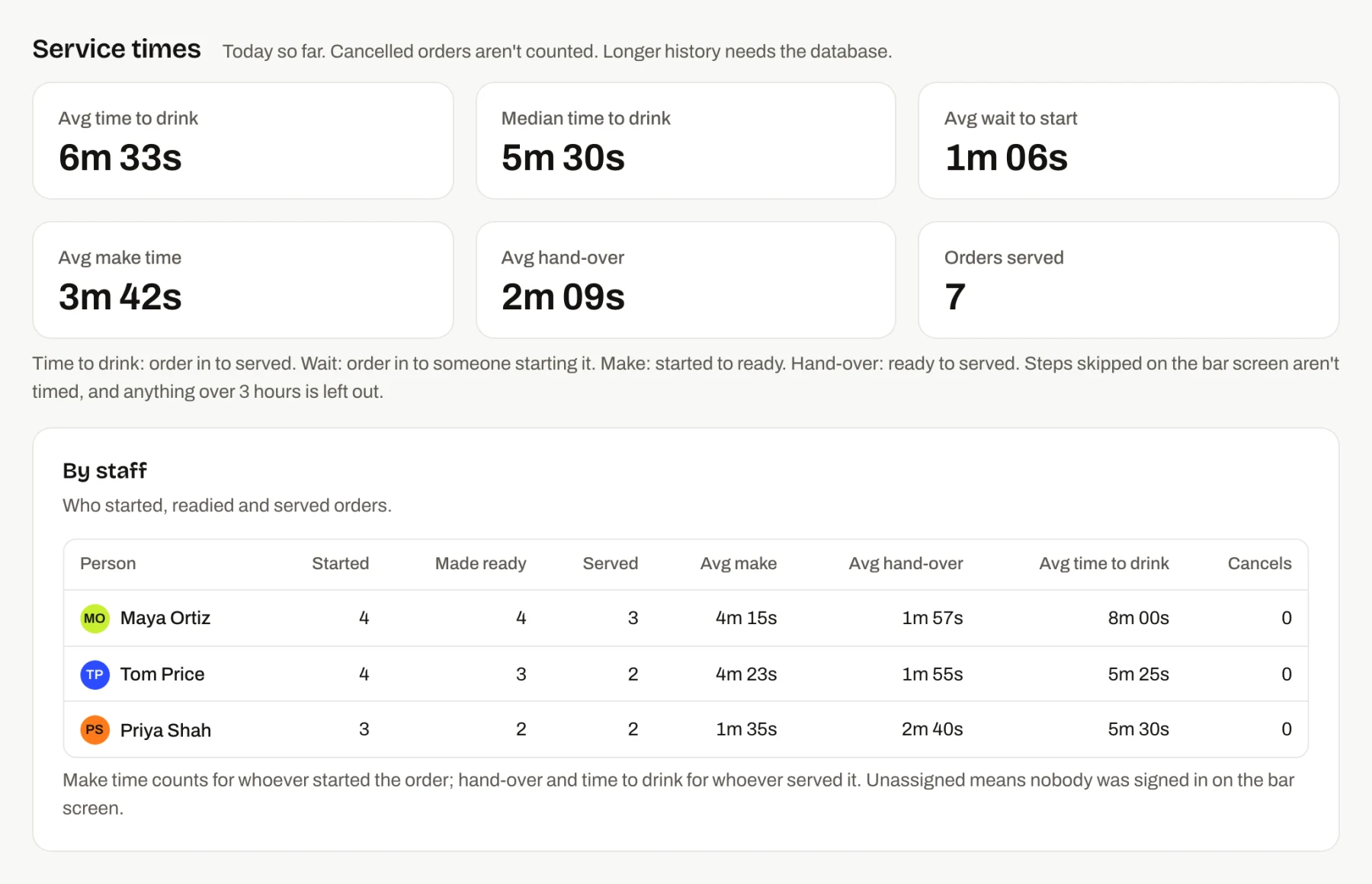
Service-time cards show the average and median time from order to drink, the wait before someone starts it, the make time and the hand-over. The by-staff table breaks it down per person.
Build and change the menu yourself
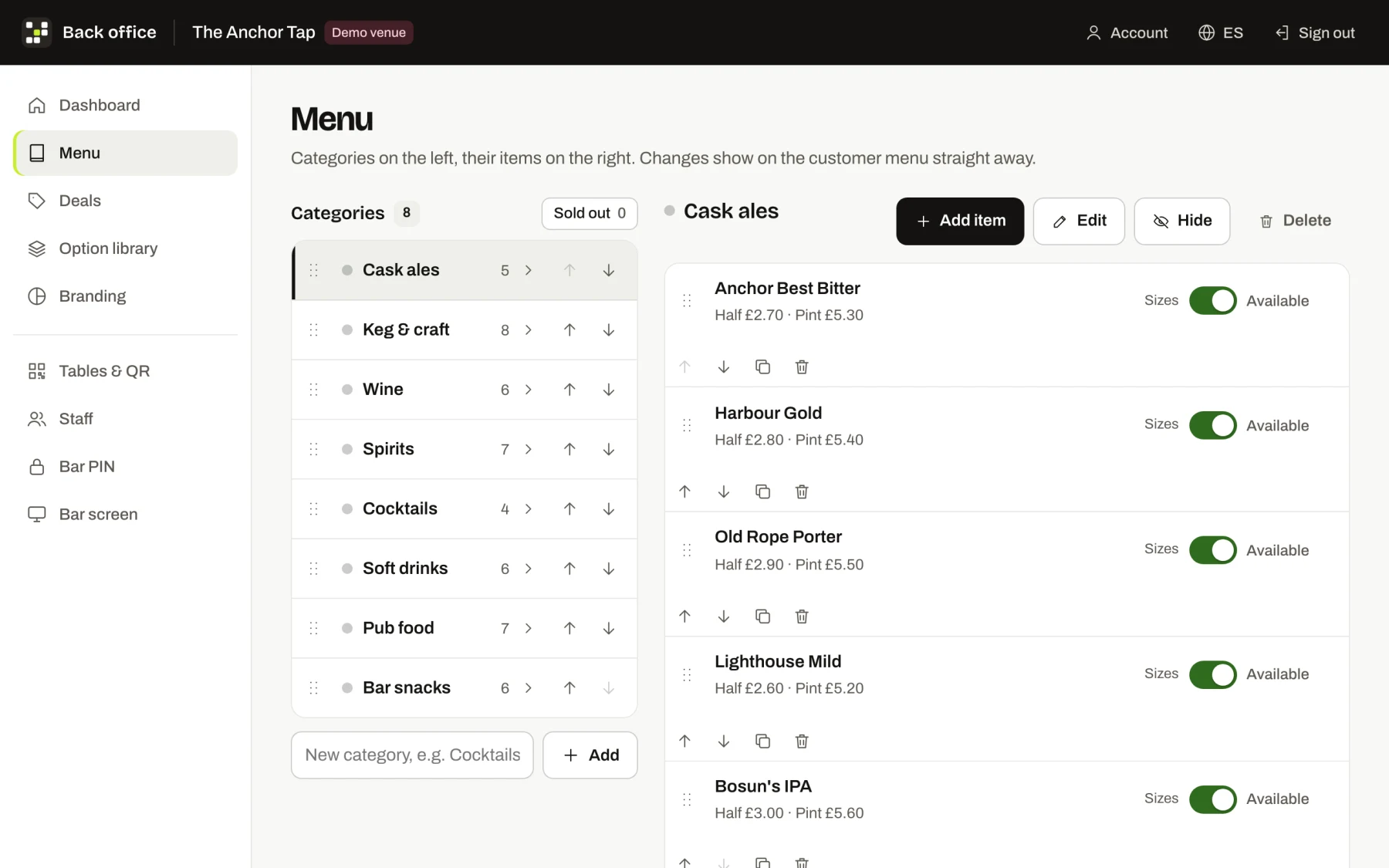
Categories, items, prices, allergens and stock. Each drink can have sizes such as Half and Pint or 125ml, 175ml and 250ml, and a shared Mixers group attaches to every spirit at once.
Happy hours and deals
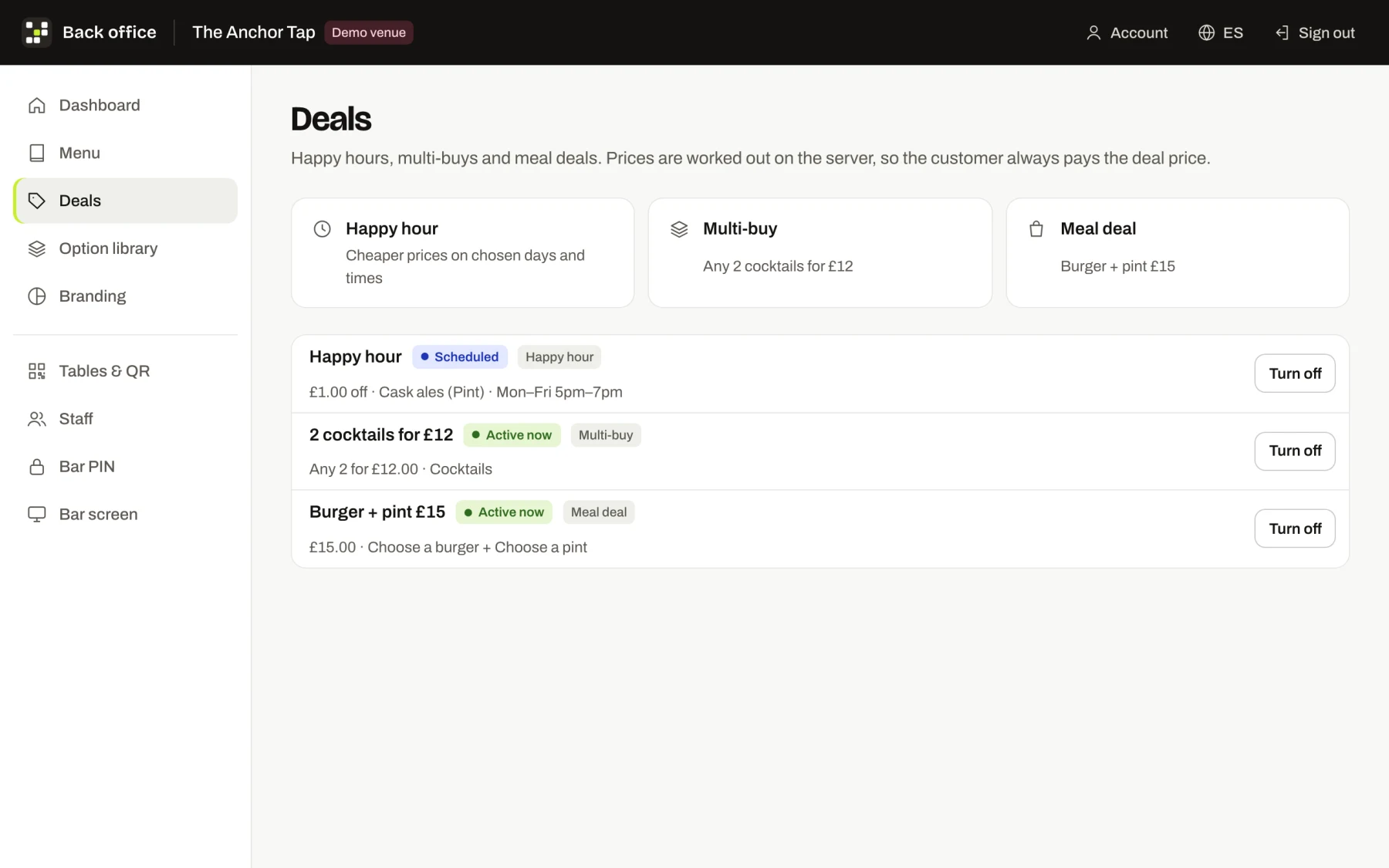
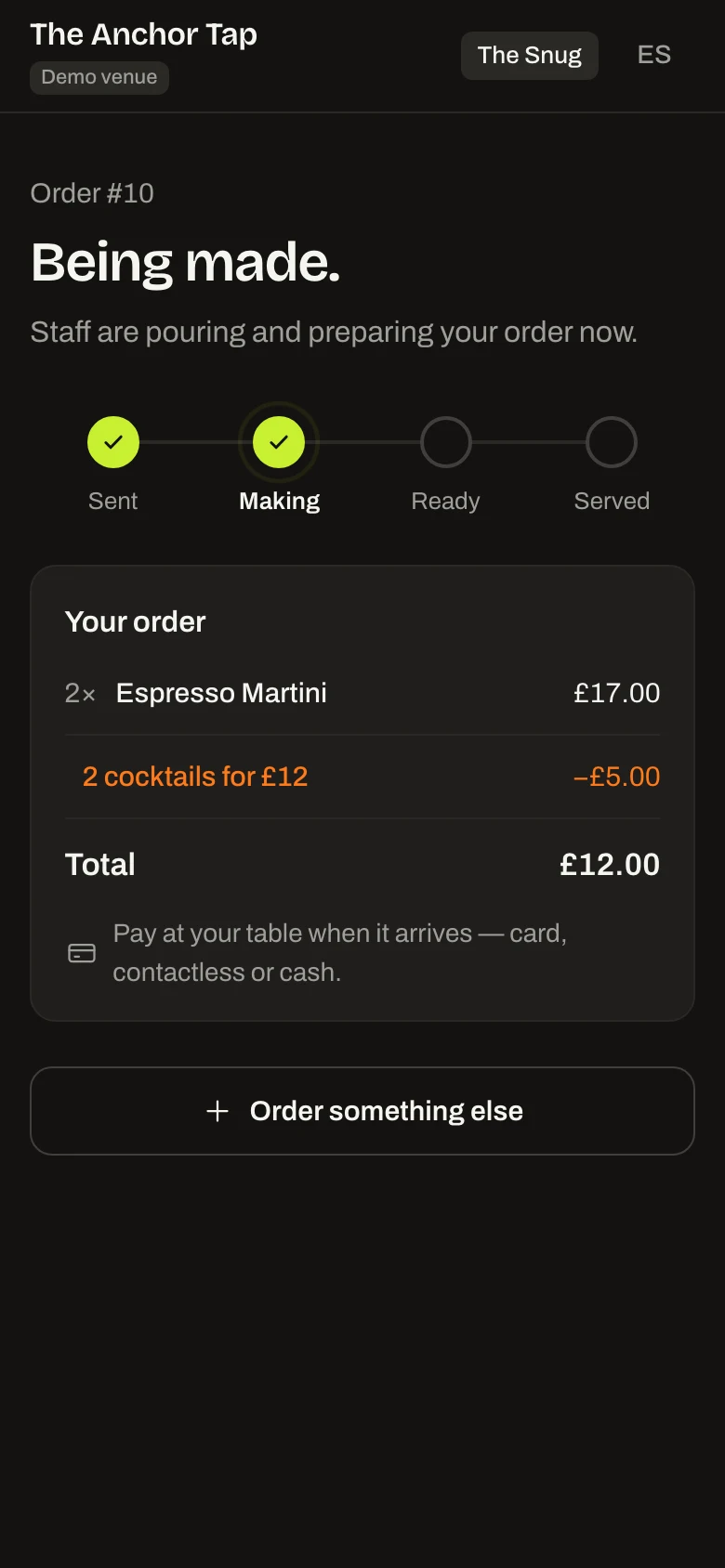
Run a happy hour on chosen days and times, a multi-buy such as any two cocktails for £12, or a meal deal. Prices are worked out on the server, so customers pay exactly the deal price.
Tables and printable QR cards
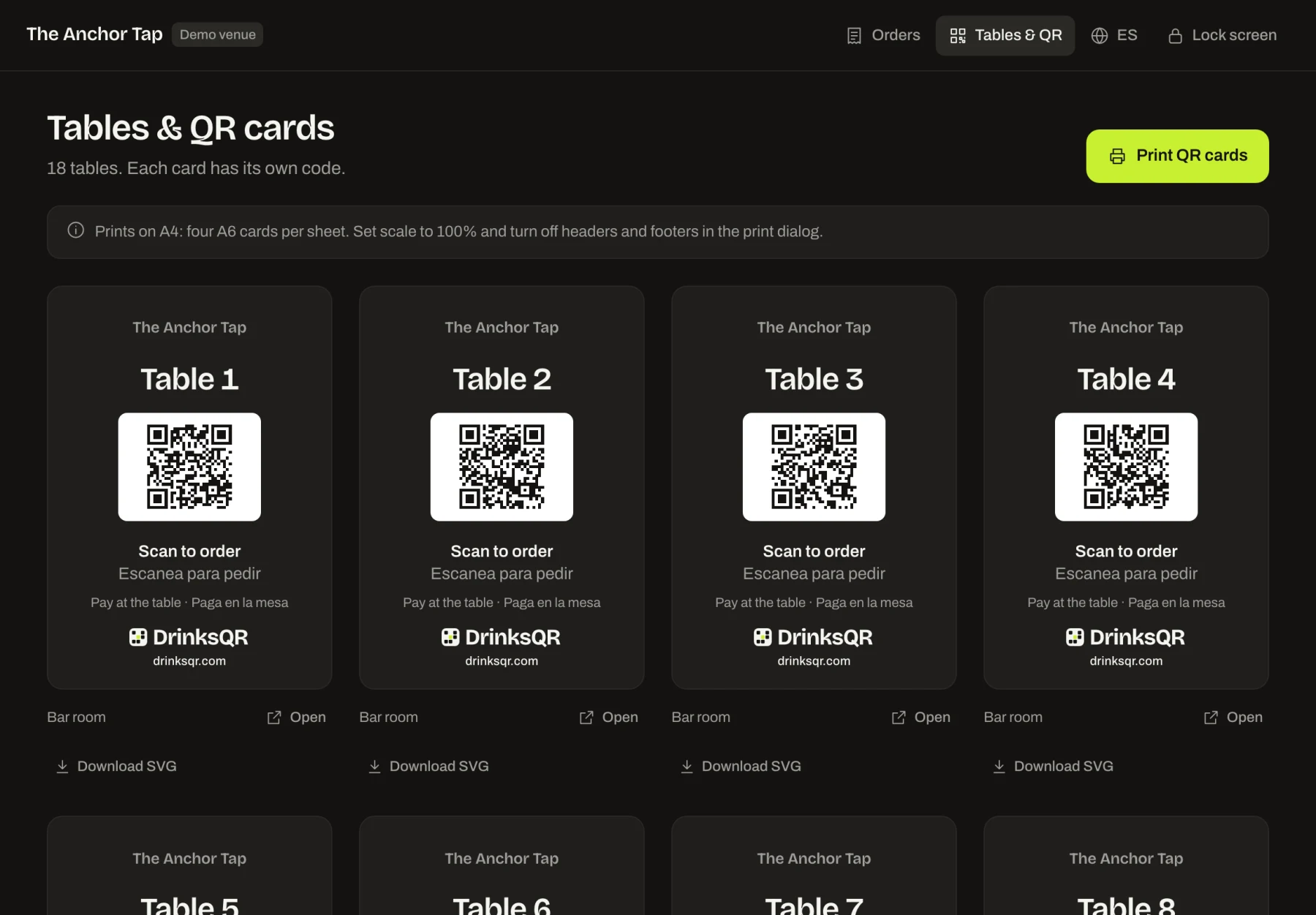
Name tables however you like, then print A4 sheets of four A6 cards or download any card as an SVG. Each table's code is random, so orders only come from tables someone has scanned.
Your own colours and logo
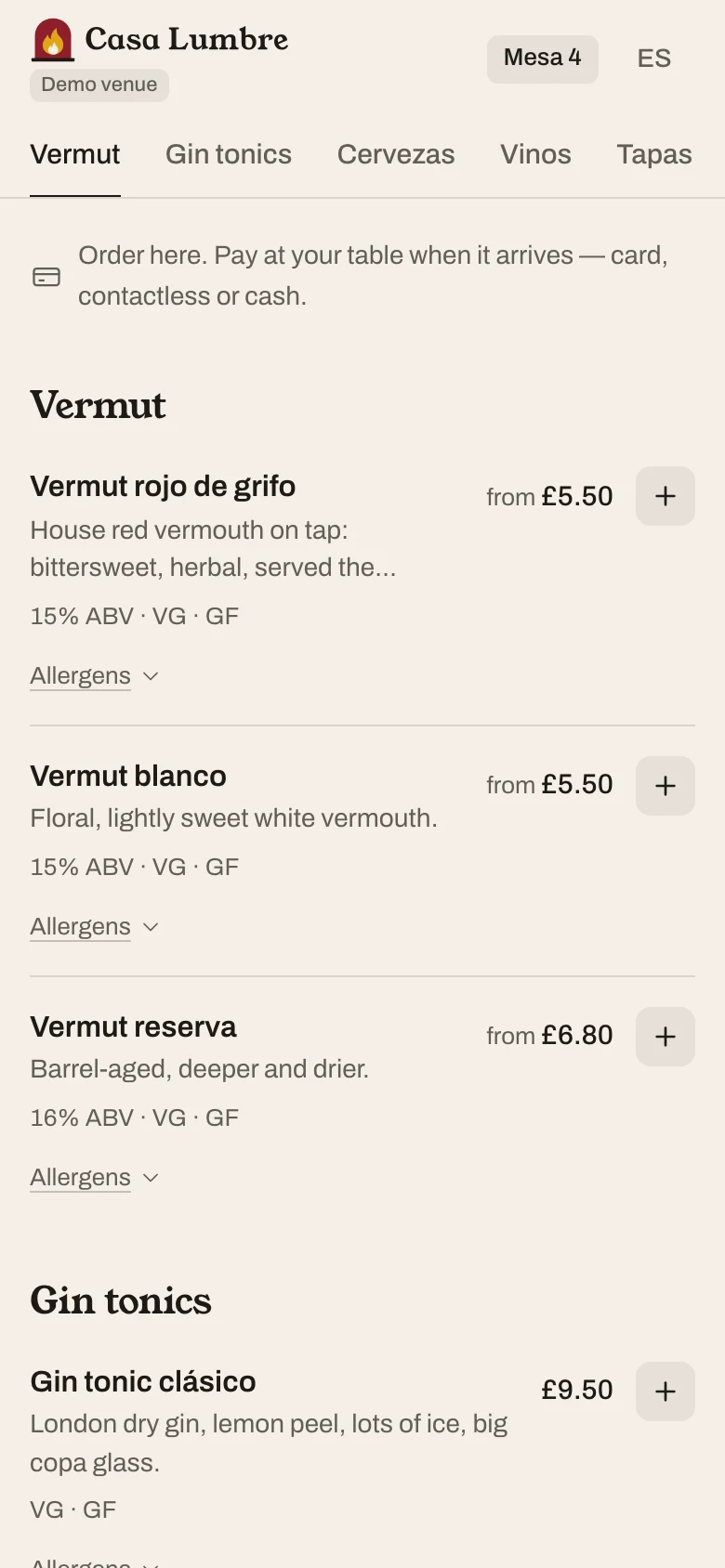
With the branding add-on (£20 a month) the menu, bar screen and table cards use your colours, logo and font. Text colours are checked for contrast as you pick them.
Pay at table
Staff bring the order with the card machine, and customers pay by card, contactless or cash. The order page keeps customers posted while they wait. Paying on the phone is coming soon.
A live bar screen for table orders
Every order lands on one screen behind the bar, with the table name in large type. New orders chime and sit in a New lane; staff tap once to move a ticket to Making, then Ready, then Served. A timer on each ticket turns orange after five minutes and pink after ten, so nothing waits unseen.
- Runs in a browser on any tablet, laptop or phone you already own.
- Tickets show sizes, mixers, notes and a "Check ID" flag for alcohol.
- Staff can serve or cancel any ticket, with an inline confirmation instead of a pop-up.
- Open it on as many devices as you like at the same time; every screen updates within a few seconds.
See the full flow in how it works, or open the bar screen in the live demo.
New 2
- 2× Harbour Gold Pint
- 1× Chunky Chips
Extra salt
- 3× Galley Stout Pint
Making 1
- 1× Harbour Gin Double · Indian tonic
- 1× Anchor Burger Smoked bacon · Chips
Sam
Ready 1
- 2× Prosecco 125ml
Staff sign-in and service times
Each person who works the bar signs in on the bar screen with their own PIN, and every step they take is saved against their name. Owners add staff in the back office with a name, a colour and a 4 to 6 digit PIN. On the bar screen staff tap their name and enter their PIN; several people can share one screen and Switch user hands over in seconds. Staff PINs only open the bar screen, never the back office.
- Whoever starts, readies, serves or cancels an order is recorded, and their initials show on the ticket.
- Someone is signed out after an hour without a step, or when the screen is locked.
- Service-time cards show the average and median time to drink (order in to served), the wait before someone starts it, the make time and the hand-over, with a by-staff table.
- The bar screen shows today's average time to drink in its header.
Sizes and measures: half, pint, 125ml, double
Each drink can have its own sizes, each with its own full price. A cask ale can be Half £2.90 and Pint £5.40; a wine can be 125ml, 175ml, 250ml or Bottle; a spirit Single or Double. Customers must pick one, the default is pre-selected, and the menu shows "from" the cheapest price.
Presets fill in the common size sets in one tap, so a pub can set up a full cask range quickly. Read the 30-minute setup guide for the order we recommend.
Rioja Crianza 13.5% ABV
Glass Required
Mixers and options from one shared library
Create a group like Mixers once and attach it to every gin, vodka and rum in a single step. Each option can carry an extra price (tonic +£1.90) or none, and can be switched off when it runs out. Editing the group updates every item that uses it.
- Pick one or pick several, with required or optional choices and minimum and maximum counts.
- Works for food too: sides, extras and cooking preferences.
- Attach or remove a group for a whole category at once.
Harbour Gin 41% ABV
Measure Required
Mixer Optional
Happy hours, multi-buys and meal deals
Deals are priced on the server, so the customer always pays exactly what the menu shows. Three types cover most bar promotions:
- Happy hour: a percentage off, an amount off or a fixed price on chosen days and times, optionally only on certain sizes (for example £1 off pints). Windows can run past midnight.
- Multi-buy: "any 2 cocktails for £12". The basket groups the dearest qualifying drinks first and shows the saving as its own line.
- Meal deal: "burger and a pint for £15", with a choice for each part.
Customers see a "Happy hour until 7pm" badge with the old and new price, and meal deals in their own Deals section. The deals guide walks through each one.
Anchor Best Bitter
Happy hour until 7pm£5.30 £4.30
2 cocktails for £12
Saving added in the basket
−£5.00
Burger + pint £15
Meal deal
£15.00
Sold-out toggles and optional stock counts
One tap marks an item sold out and customers see it greyed out straight away. For limited items, set a stock count: every order counts it down in the same step that saves the order, and the item marks itself sold out at zero. Nobody can order the last portion twice.
Old Rope Porter
Riptide DIPA Sold out
Scotch Egg 4 left
Printable QR table cards
Every table gets its own code and a print-ready card. Name tables however you like (Table 7, Garden 2, The Snug), print A4 sheets with four A6 cards each, or download any card as an SVG for a print shop. Each code is random and unguessable, so orders can only come from a table someone has scanned.
Our guide to printing and placing QR codes covers size, contrast and placement.
Table 7
Scan to orderEscanea para pedir
Your branding on the menu, bar screen and cards
With the branding add-on (+£20 a month) the customer menu, bar screen and table cards use your colours, logo and font. Text colours are checked against WCAG contrast rules as you pick them, so the menu stays readable in a dark room. Without the add-on, venues get the clean DrinksQR house style.

Mesa 4
Scan to orderEscanea para pedir
Allergen information on every item
Each item can list any of the 14 UK allergens, and customers can open them on the menu before ordering. Every item also reminds customers to speak to staff about allergies, because the venue stays responsible for its allergen information. Read allergen information on digital menus for what UK venues need to know.
Anchor Burger
Contains: cereals containing gluten, milk, eggs, mustard, sesame.
If you have a food allergy or intolerance, please speak to a member of staff before you order. Allergen information is provided by the venue, and dishes are prepared in a kitchen where allergens are present.
Menus in English and Spanish
The customer menu, bar screen and this website all work in English and Spanish. The menu follows the language of the customer's phone and they can switch at any time. Spanish names are optional: where you leave them empty, customers reading in Spanish see the English text.
Pint
Pinta
Beer-battered Haddock
Eglefino rebozado en cerveza
Security and GDPR by design
DrinksQR collects as little as possible: customers don't create accounts, and an order holds only the table, the items and an optional first name. The venue is the data controller and DrinksQR processes order data on its behalf. The customer menu has no analytics or advertising cookies.
- Unguessable table codes and per-table order limits.
- Protected forms, rate-limited logins and a separate PIN for bar staff.
- Owners manage the menu in a back office that staff can't reach.
Our GDPR checklist for QR ordering goes through the details.
Random, unguessable code for every table
No customer accounts; first name optional
Protected forms and rate-limited logins
Questions
Do customers need to download an app?
No. Customers scan the QR code on their table with their phone camera and the menu opens in the browser. There is nothing to install and no account to create.
Which features cost extra?
Only branding, at £20 a month. Every other feature on this page is included in both the Standard and Large plans.
Can I change the menu myself?
Yes. Owners sign in to a back office to edit categories, items, sizes, mixers, deals and stock. Changes show on the customer menu straight away.
How do customers pay?
At the table: staff bring the order with the card machine, so customers pay by card, contactless or cash. Paying on the phone is coming soon.
Does it work with my till?
DrinksQR runs on its own and does not connect to tills yet. Staff take payment on your existing card machine as usual.